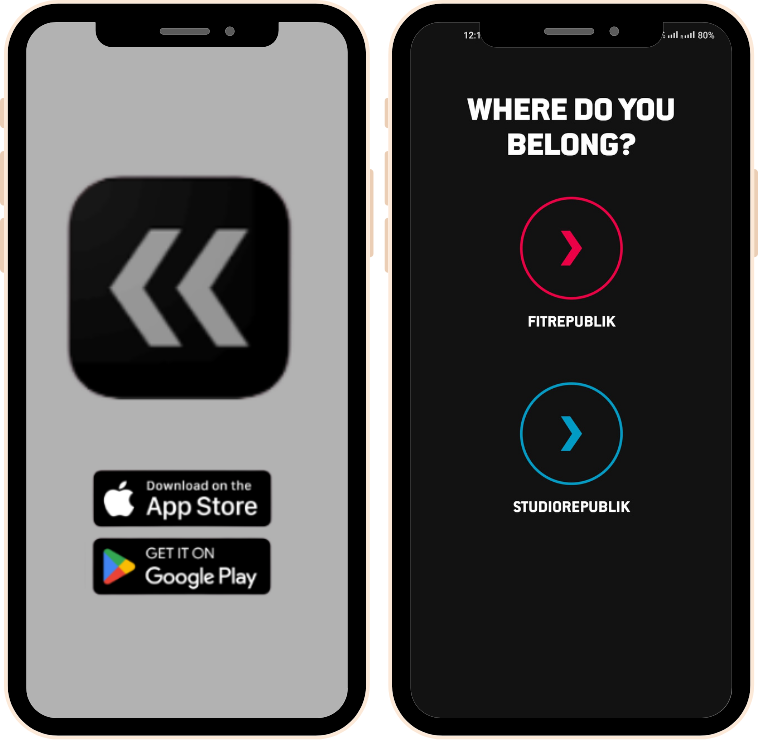
Download and install the Fit + Studio Republik app from the Google Play Store or Apple App Store.
Select the location you would like to access and create your account.
Please note that to access both facilities, you must create accounts for StudioRepublik and FitRepublik separately. You may use the same email and phone.
STEP 2
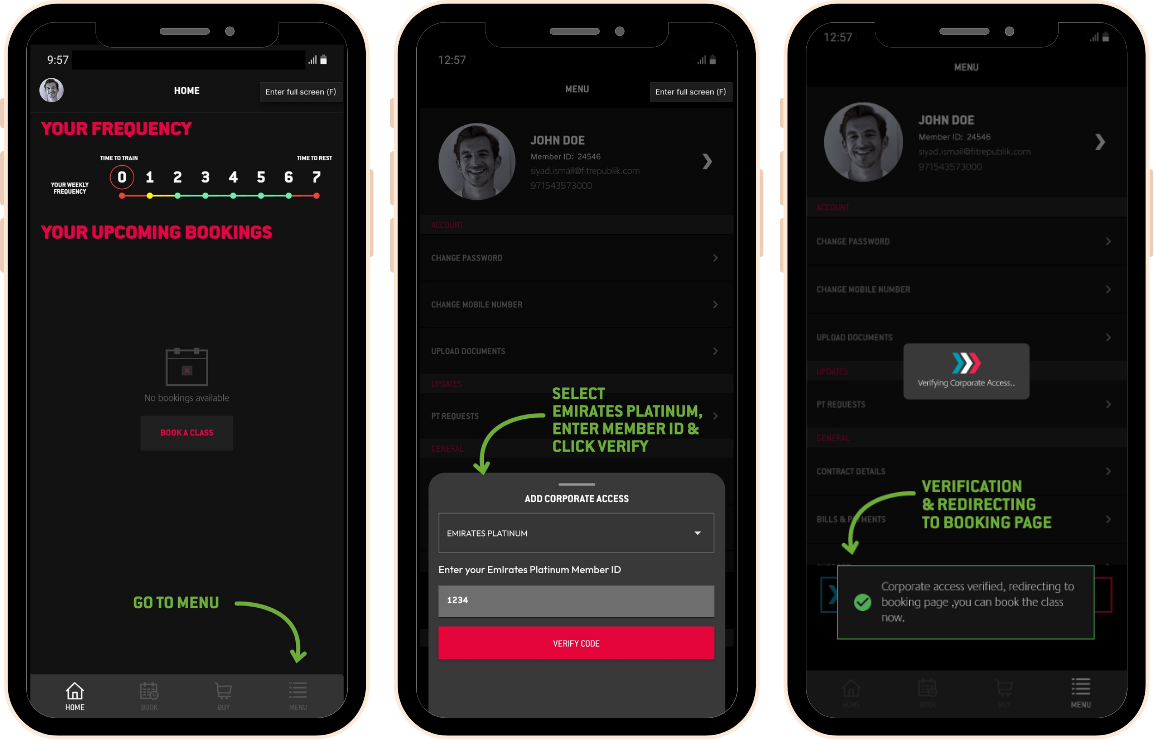
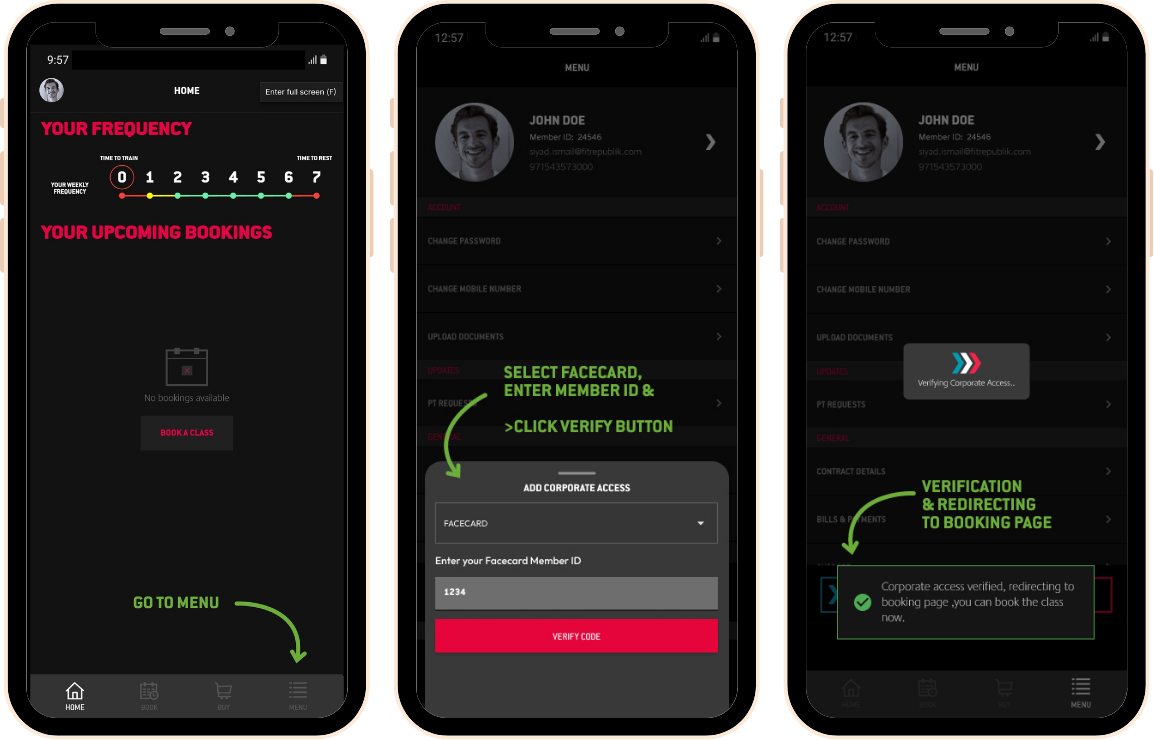
Go to Menu and click Corporate Access
Select Emirates Platinum
Enter your Emirates Platinum Member ID and verify code
STEP 3
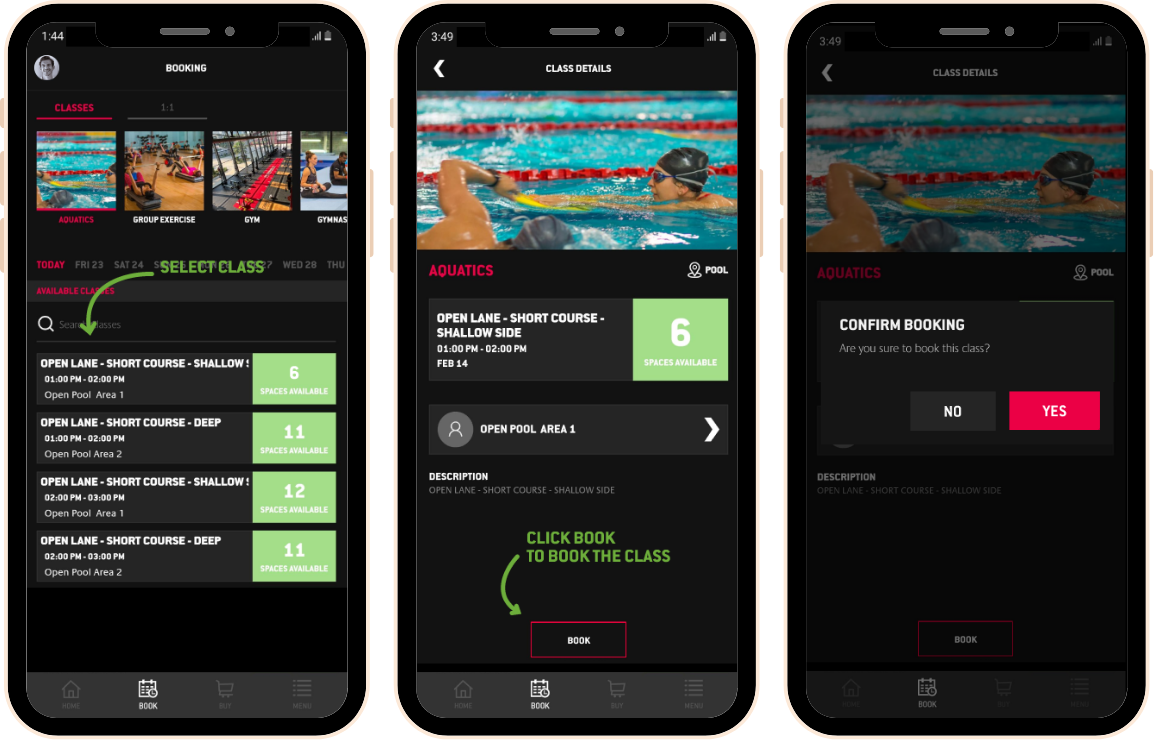
To book a class, select the class schedule you would like to attend, click “Book” and confirm your booking by selecting “Yes”
STEP 4
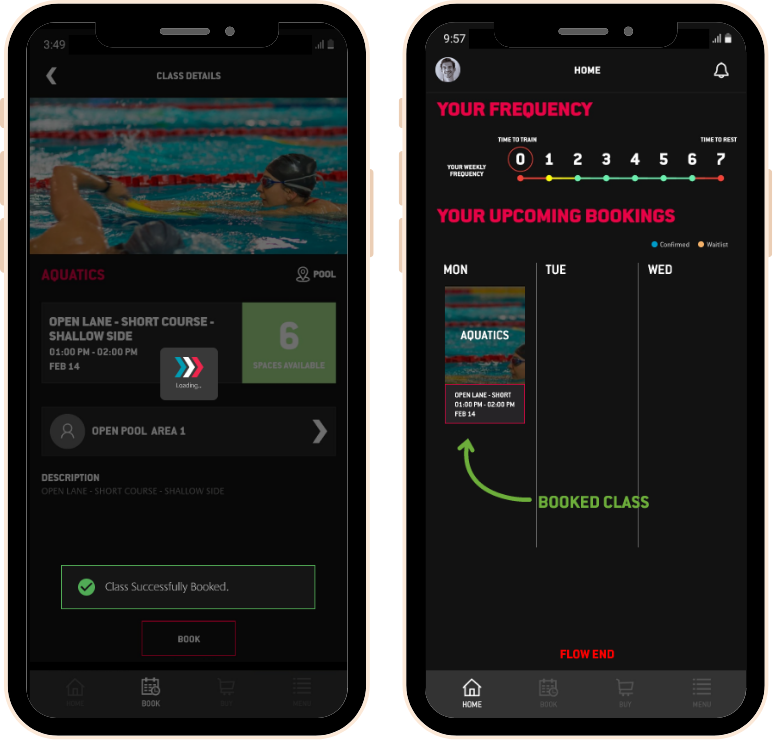
Once you have confirmed your booking, your “Booked Class” will be displayed on your homepage.
Kindly note that some classes have a daily limit on corporate bookings. If the limit is reached, you can book and buy a slot to secure your spot.
STEP 1
Download and install the Fit + Studio Republik app from the Google Play Store or Apple App Store.
Select the location you would like to access and create your account.
Please note that to access both facilities, you must create accounts for StudioRepublik and FitRepublik separately. You may use the same email and phone.
STEP 2
Go to Menu and click Corporate Access
Select FaceCard
Enter your FaceCard Member ID and verify code
STEP 3
To book a class, select the class schedule you would like to attend, click “Book” and confirm your booking by selecting “Yes”
STEP 4
Once you have confirmed your booking, your “Booked Class” will be displayed on your homepage.
Kindly note that some classes have a daily limit on corporate bookings. If the limit is reached, you can book and buy a slot to secure your spot.
STEP 1
Download and install the Fit + Studio Republik app from the Google Play Store or Apple App Store.
Select the location you would like to access and create your account.
Please note that to access both facilities, you must create accounts for StudioRepublik and FitRepublik separately. You may use the same email and phone.
STEP 2
Go to Menu and click Corporate Access
Select Emirates Platinum
Enter your Emirates Platinum Member ID and verify code
STEP 3
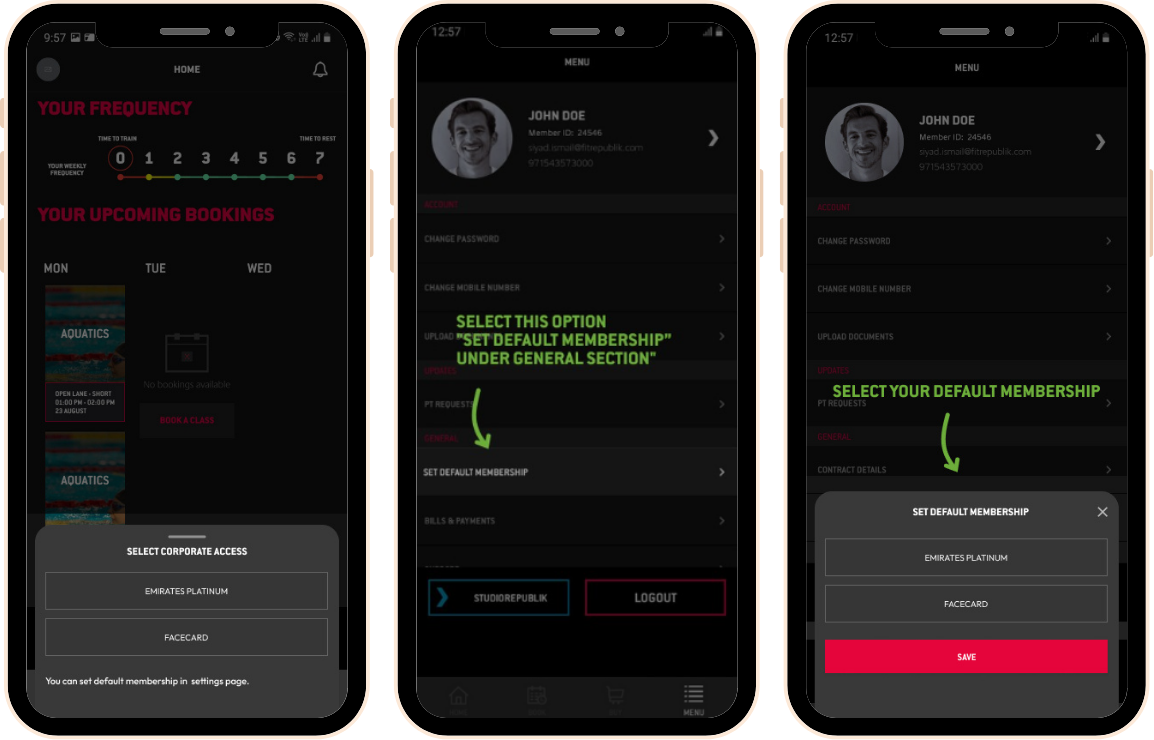
Go to Menu and click Corporate Access
This time, select FaceCard
Enter your FaceCard Member ID and verify code
STEP 4
To book a class, select the class schedule you would like to attend, click “Book” and confirm your booking by selecting “Yes”
STEP 5
Once you have confirmed your booking, your “Booked Class” will be displayed on your homepage.
Kindly note that some classes have a daily limit on corporate bookings. If the limit is reached, you can book and buy a slot to secure your spot.